


DSLR HD Camera : 4K HD Camera
4.7298.00 Reviews
App Specs
- Version
- 7.1.2
- Updated On
- License
- Free
- Downloads
- 10,000,000+
- Developer
- DOSA Apps
- Categories
- Beauty
- Platform
- Android
Screenshots
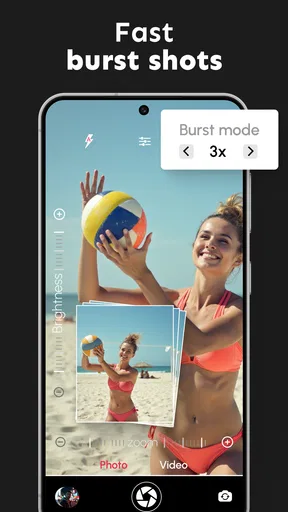
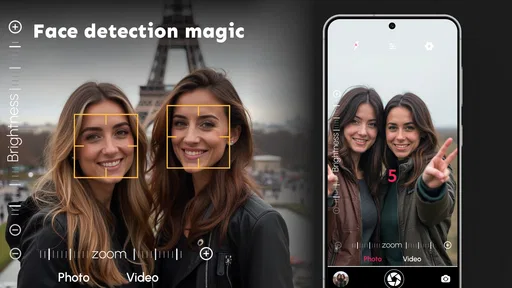
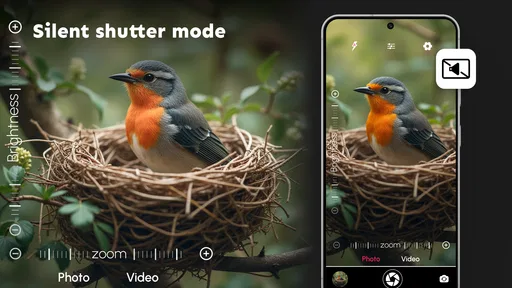
 Analysis by AppCompare
I judge a camera app less by the grand promise of its name than by what it helps me do in an ordinary moment: open the camera, frame a subject, and get a result I’m happy to keep. DSLR HD Camera: 4K HD Camera, from DOSA Apps, is a free beauty-category app aimed at people who want camera controls and a quick way to polish pictures without turning every snapshot into a project. Its appeal is straightforward, though the “DSLR” label is best treated as an ambition rather than a guarantee that a phone will behave like a dedicated camera.
What a quick camera workflow can—and cannot—promise
The main draw is the idea of bringing capture controls and editing into one place. That can be useful when a scene is changing and opening separate camera and editing apps would interrupt the moment. If you are taking a close-up of a handmade gift, for instance, being able to frame it, try a softer look, and review the image in the same workflow may be more valuable than having a long list of tools.
Still, a camera app cannot create hardware that a phone does not have. The sensor, lens, and device processing remain important, so the same app can produce different results on different phones. I would treat claims about high-resolution output as a reason to explore the camera, not as a promise that every shot will look like professional equipment made it.
Speed expectations in everyday use
For casual shooting, the useful question is whether the app feels responsive enough for the way you take pictures. A camera that opens promptly and lets you make a small adjustment without fuss is handy for pets, street scenes, or a friend’s quick portrait. But no camera app can guarantee a sharp result when the subject is moving or the light is poor; focus, exposure, and the phone itself all shape the outcome.
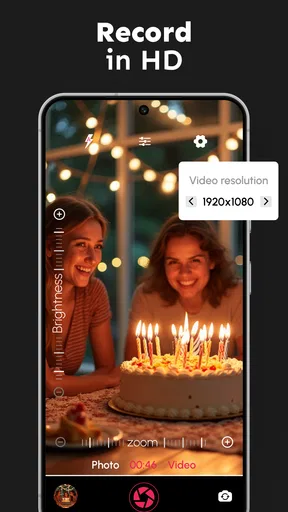
I would also avoid assuming that a 4K option is automatically the right choice for every recording. Higher-resolution video can be helpful when you plan to crop or view footage on a large screen, but it may take more storage and can place more demand on a phone than a modest clip needs. For a quick message or a casual social post, a lower setting, if available on the device and in the app, may be the more practical trade-off.
When a session gets demanding
Long recording sessions, repeated photo edits, and switching rapidly between shooting modes are the moments when I would pay closer attention to how a phone behaves. Heat, battery use, free storage, and the device’s camera support can affect a session, particularly when recording at high resolution. I would make a short test clip before an important event rather than discovering a device-specific limitation halfway through it.
A useful habit is to review a few frames at full size before continuing with a whole batch. That catches missed focus or an exposure that looks fine on a small preview but not on closer inspection. It also helps avoid spending time applying the same look to many images before you know whether it suits the lighting.
Worth Reading Before You Choose

Baby Panda World Brings Quick Play to Modern Phones, but Its Game Library Feels Busy

ESPN’s Live Game View Makes Following Close Games Easier

QuizzLand Review: A Good Fit for Short Trivia Breaks, Not Every Player

Basketball Stars: Multiplayer Is Fast, but Can It Recover When Matches Go Wrong?

WEBTOON Turns Phone Updates Into a Better Reading Routine

Link to Windows Runs on Shared Habits, Not Social Feeds
Capture, adjust, and decide whether it fits
I use this section to weigh the practical trade-off between taking a picture quickly and spending time refining it afterward. Before settling on a routine, I’d try the same scene with the phone’s usual camera and compare the results, then decide whether the extra controls and editing steps make a noticeable difference to my own workflow.
Where the built-in editing helps
When it comes to capturing moments with precision and clarity, the DSLR HD Camera: 4K HD Camera app is making waves in the photography community. I've had the chance to dive into this app, and let me tell you, it’s like having a professional camera right in your pocket.
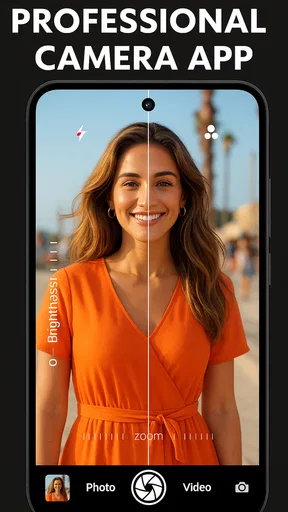
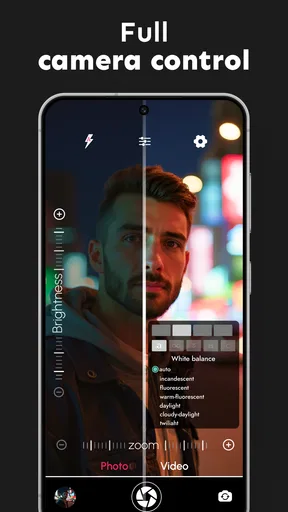
One of the first things you'll notice about the app is its user-friendly interface. Even if you're not a seasoned photographer, the app makes it easy to navigate through its plethora of features. The app is packed with options such as manual focus, ISO control, and white balance adjustment. It’s like having a mini photography studio right in your hands.
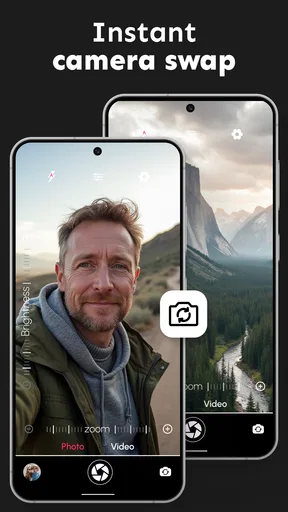
Another feature that stands out is the 4K video recording capability. Yes, you heard that right. You can shoot videos in stunning 4K resolution, making your home videos look like a professional production. The app also allows you to capture high-resolution images with a variety of filters and effects to choose from. You can easily switch between modes, ensuring you get the perfect shot every time.
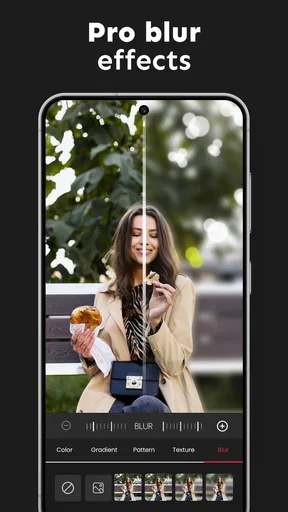
One thing I absolutely love is the app's ability to allow for photo editing right after capturing your images. You can adjust exposure, contrast, and apply various filters without needing to switch to another app. It’s a one-stop-shop for all your photography needs!
That all-in-one approach has a practical advantage: it reduces the number of handoffs between capture and finishing. It is especially convenient for a small set of pictures you want to tidy up immediately, such as product photos for a listing or a quick portrait to share. For a large batch, though, I would still compare the editing controls with a dedicated photo editor. A camera app’s built-in adjustments are convenient, but convenience does not necessarily mean the most precise workflow.
Reliability, compatibility, and sensible expectations
Now, let’s talk about performance. The app runs smoothly on both Android and iOS devices, which is a major plus. There’s nothing more frustrating than an app that lags, especially when you’re trying to capture a fleeting moment. With this app, you can expect a seamless experience, as it efficiently utilizes your device’s camera capabilities to deliver high-quality photos and videos.
Compatibility is worth checking before relying on it for a planned shoot. The current version is 7.1.2, and the minimum Android requirement is 7.0; a phone also needs to expose the relevant camera capabilities for the controls and recording options to be useful. If a setting is unavailable or a preview behaves differently than expected, I would first test the same scene with the phone’s regular camera. That comparison helps separate an app workflow issue from a device limitation.
If the app closes or a recording is interrupted, I would not assume that an unfinished clip or edit will be recovered. Before an important shoot, capture a brief test, check that the result is saved where you expect, and leave enough free space for the kind of footage you plan to make. Those small checks are more dependable than trusting any camera app to rescue a session after a phone runs low on resources.
The app is free to install and rated for Everyone. It has an average rating of 4.5 from around 72,000 ratings, with over 10 million installs and 254 reviews. Optional in-app purchases range from $0.99 to $99.99 per item, so I would look carefully at any purchase prompt and decide whether its value is clear before paying. The app was released on November 29, 2017, and is developed by DOSA Apps.
Who will get the most from it
If you’re someone who loves taking photos and videos, this app is definitely worth a shot. The variety of features and the quality of the output make it a standout choice among many camera apps available today. Whether you're capturing a landscape or snapping a quick selfie, this app gives you the tools to make your photos truly shine.
I think it makes the most sense for someone who enjoys experimenting with camera controls and wants basic capture and touch-up steps close together. It is less compelling if you already rely on a phone’s native camera because it launches quickly and handles your preferred settings, or if you need a carefully controlled workflow for a professional assignment. In those cases, the built-in camera may be the easier everyday choice, while a dedicated editor or camera tool may offer a better fit for specialized work.
A realistic use is taking a few pictures of a dish before serving it. I would try a simple composition near a window, check focus on the main detail, and compare a filtered version with the unedited frame before choosing one. That quick comparison is a useful safeguard: filters can add mood, but they can also make food colors look less natural. Keeping the original-looking version in mind helps me avoid editing for effect at the expense of accuracy.
For portraits, manual controls can be useful when the automatic result is not quite right, but they also ask for more attention. I would change one setting at a time and take a comparison shot rather than adjusting several controls at once. That makes it easier to understand whether the change helped, and it reduces the chance of losing a fleeting expression while navigating menus.
My performance verdict
In conclusion, the DSLR HD Camera: 4K HD Camera app is more than just another camera app; it’s a comprehensive tool for anyone passionate about photography. So, whether you’re a pro or just getting started, give this app a try. You might just find it becoming your go-to for all your photographic adventures.
My recommendation is more measured: it is worth trying if you want to explore manual focus, ISO, white balance, filters, and quick edits in one camera-oriented app. I would not choose it solely because its name suggests DSLR-level results, nor would I use it without testing it on the phone I plan to shoot with. The strongest reason to keep it is a workflow that feels useful to you; if your built-in camera already covers your needs or you need more exact editing, another option will likely serve you better.
Ready to transform your photography game? Head over to your app store and download it now. Happy snapping!
Pros
- High-resolution 4K video recording available.
- Intuitive user interface for easy navigation.
- Offers manual controls for advanced users.
- Wide range of filters and effects included.
- Supports RAW format for high-quality photos.
Cons
- Requires significant storage space for media.
- Some features locked behind in-app purchases.
- Occasional lag on older devices.
- Battery drains quickly during use.
- Limited editing tools compared to competitors.
FAQs for DSLR HD Camera : 4K HD Camera
What features does the DSLR HD Camera: 4K HD Camera offer?
The DSLR HD Camera app provides a wide range of features, including professional-grade manual controls for focus, shutter speed, and ISO. It also offers 4K video recording, advanced photo modes like HDR and panorama, and real-time filters. These features make it ideal for both amateur and professional photographers.
Is the DSLR HD Camera app user-friendly for beginners?
Yes, the app is designed with an intuitive interface that makes it accessible for beginners. It provides easy-to-use automatic settings while also offering advanced manual controls for those who wish to explore and enhance their photography skills. The app aims to balance simplicity and functionality.
Does the DSLR HD Camera app require a lot of storage space?
While the app itself is relatively lightweight, the high-resolution images and 4K videos it captures can consume significant storage space on your device. It's advisable to ensure you have ample storage available or use cloud storage solutions to manage your media files effectively.
Is the DSLR HD Camera app available for both Android and iOS devices?
Yes, the DSLR HD Camera: 4K HD Camera app is available for download on both Android and iOS platforms. You can find it on the Google Play Store for Android devices and the Apple App Store for iOS devices, making it accessible to a wide range of users.
Are there any additional costs associated with using the DSLR HD Camera app?
While the base version of the DSLR HD Camera app is free to download, it may offer in-app purchases for advanced features or an ad-free experience. Users can choose to purchase these additional features, but the free version still offers a comprehensive set of tools for photography enthusiasts.


